


NeoDS 目前在 DS 能用的版本一共3个:
- NeoDS 0.20
- NeoDS 0.21和NeoDS 0.21b
- EZ flash 3in1 版
模拟器游戏目录问题
NeoDS 0.20版本,游戏最多64个,只能放根目录,
NeoDS 0.21和NeoDS 0.21b,游戏支持256个,可以单独指定目录
游戏转换问题
NeoDS 模拟器运行的游戏rom,需要通过NeoDSConvert转换成.neo的文件
DSTwo 接触不良问题
方法一
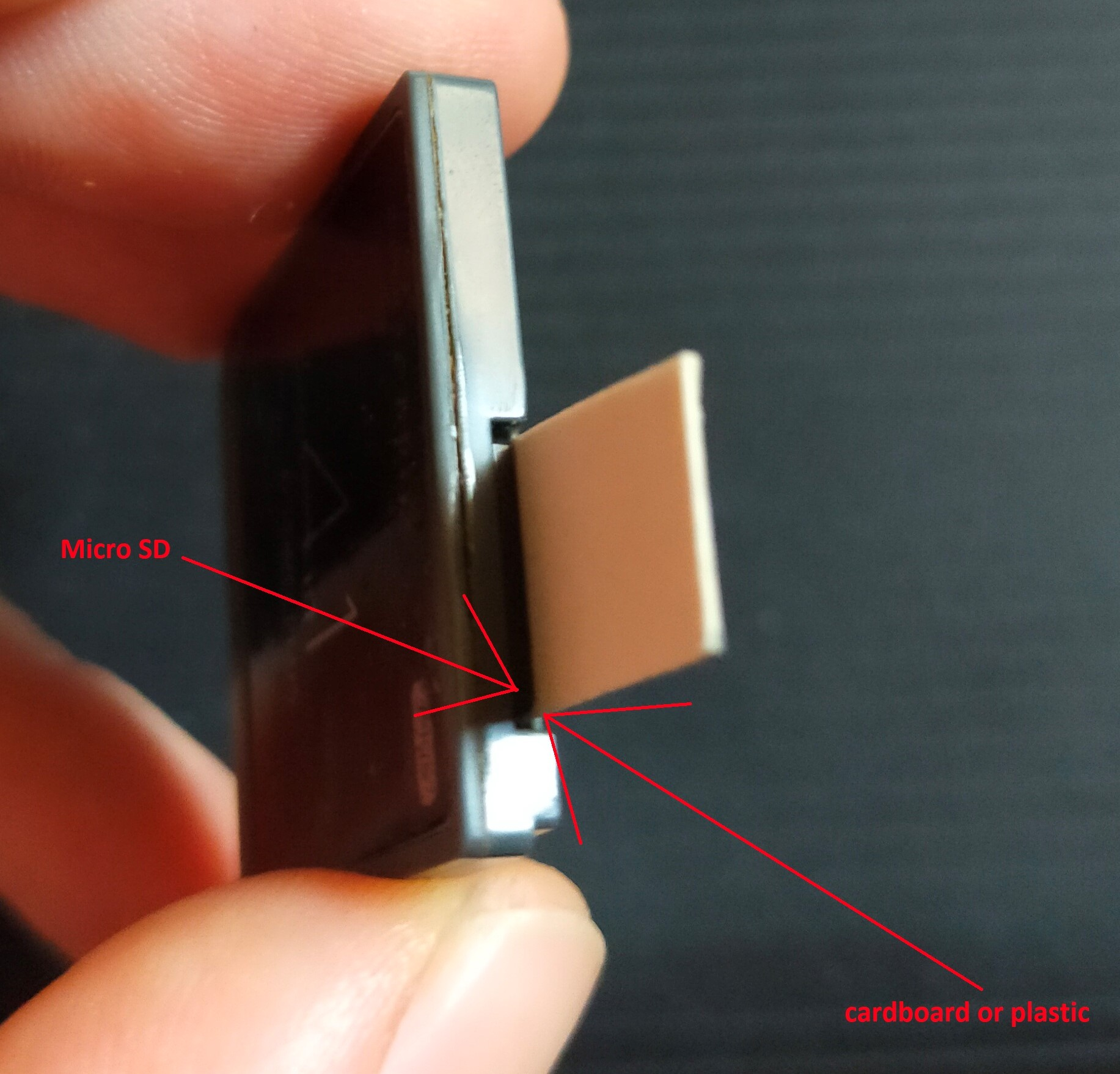
裁剪一块纸板或很薄的塑料片,大小和你的 microSD 卡差不多,然后把它塞进 microSD 卡槽里,形成一个楔形。(见图👇)
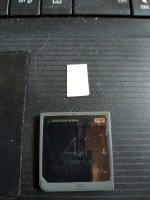
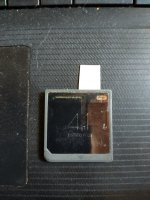
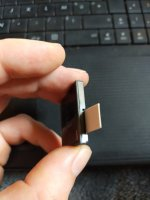
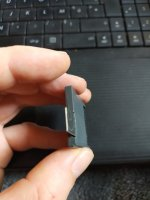
塑料片放在 microSD 卡的上表面(没有触点的那一面)和 DSTwo 卡的内壁之间,这个楔形物的作用就是把 microSD 卡推入DSTwo的触点。
方法二
- 清洁MicroSD卡和DSTwo主机上的触点
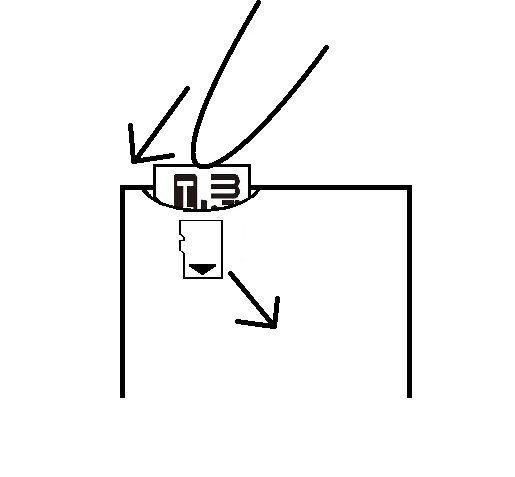
- 为了让MicroSD卡更好地连接到DSTwo主机,尝试从一定角度推动MicroSD卡,顶部向外推,底部向内推,这样可以使触点更对齐。(参见图片👇)
Ref
- DSTwo Plugins - GameBrew
- [Help wanted] How to access the BIOS menu of NeoDS (Neogeo for DS)? | GBAtemp.net - The Independent Video Game Community
- neoDS - Update! | GBAtemp.net - The Independent Video Game Community
- NeoDS - A Guide to Using One of the Greatest DS Emulators | GBAtemp.net - The Independent Video Game Community
- NeoDS on Supercard DSTwo | GBAtemp.net - The Independent Video Game Community
- The SuperCard DSTWO Beginner's Guide: How to Setup the DSTWO | Page 32 | GBAtemp.net - The Independent Video Game Community
- DSTWO not making proper contact with my DS Lite? | GBAtemp.net - The Independent Video Game Community
- The SuperCard DSTWO Beginner's Guide: How to Setup the DSTWO | GBAtemp.net - The Independent Video Game Community
- Adapt NeoDS to GameBoy Macro | GBAtemp.net - The Independent Video Game Community